Fun & creative
Nail Art Designer: preview your next manicure before the salon
See a full manicure concept, colors, shape, and design, before you spend two hours in the chair.
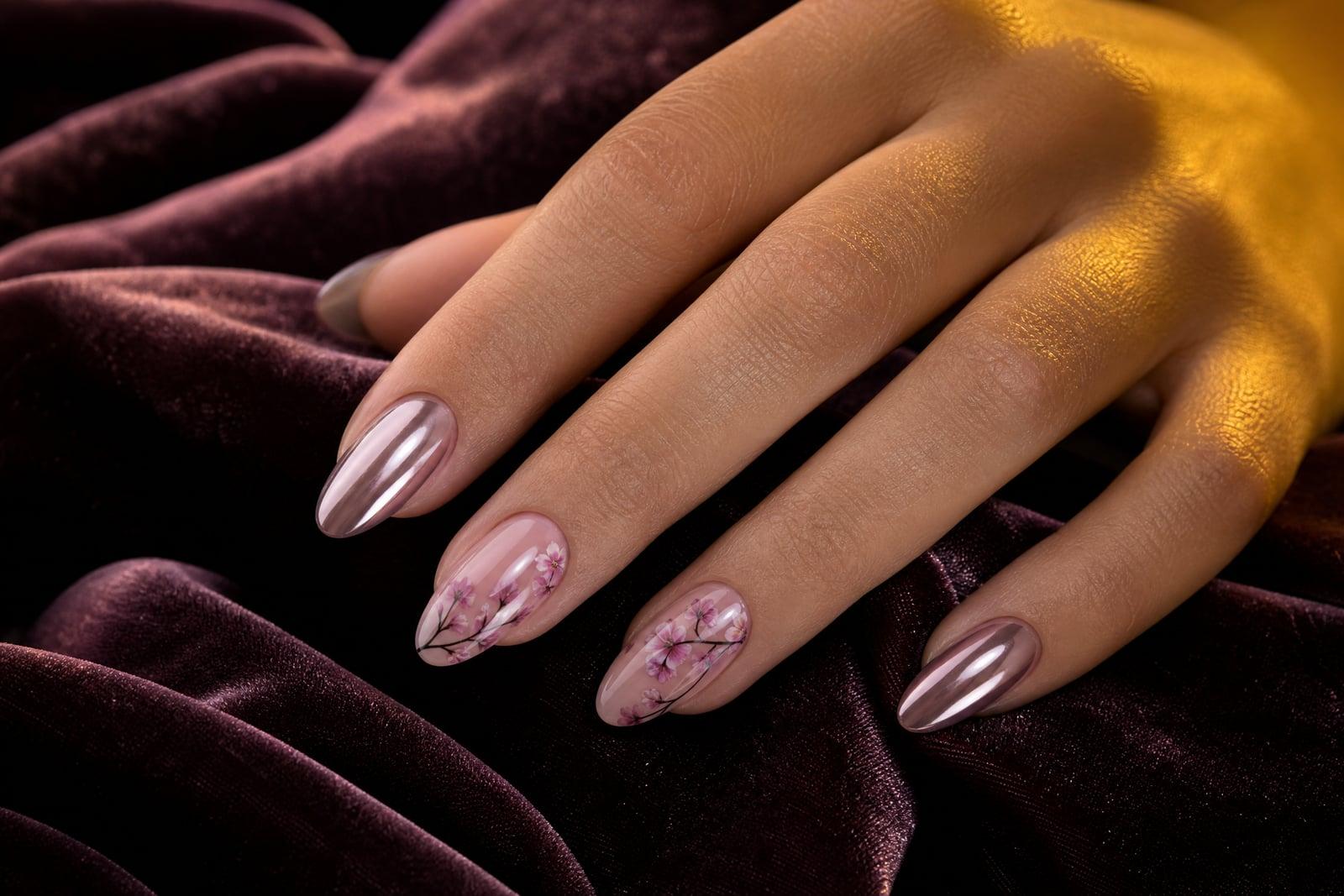
The Nail Art Designer previews manicure ideas before you commit at the salon. Describe the look you want, chrome French tips, milky ombre, tiny hand-painted daisies, or upload a photo of your own hand so the design renders on your actual nails. Pick a shape and length, then generate. You get a realistic preview you can save, compare, or show directly to your nail tech.
What is the Nail Art Designer?
The Nail Art Designer is a preview tool for manicures. You either describe a design in words or upload a photo of your hand, choose options like nail shape and length, and generate a realistic render of the finished set. The hand photo is optional: without it you get the design on a model hand, with it you see the colors against your own skin tone, which is where most polish surprises happen.
Nail decisions are hard to reverse. A set costs real money and hours in the chair, and a color that looked great in the bottle can clash with your skin tone or your ring stack. The tool handles the guesswork: it renders gloss, chrome, and glitter finishes believably, keeps designs proportional to the nail shape you chose, and lets you compare five ideas before booking a single appointment.
Nail Art Designer features
Render on your hand
Upload a photo of your own hand and the design appears on your nails, with your skin tone and finger shape. Undertones change how every polish reads, and this is the only honest way to check.
Shape and length control
The same design lands differently on short squoval nails than on long stiletto tips. Set the shape and length you actually wear, or preview the almond extensions you have been debating.
Finishes that read true
Chrome, cat-eye, jelly, matte, and glitter each reflect light in their own way, and the renders respect that. A chrome French tip in the preview actually looks like chrome, not like flat gray polish.
A reference your tech understands
Nail techs work far better from a picture than from a description. Bring the exact render to your appointment and the conversation shifts from guessing what you meant to matching what you showed.
How to use the Nail Art Designer
- 1
Describe the design
Name the base color, the accent, and the vibe: "milky pink base, gold foil accents on ring fingers". Reference finishes like chrome or matte explicitly.
- 2
Add your hand photo
Optional but worth it. Shoot the back of your hand flat, in daylight, with fingers relaxed. Clean bare nails give the render the most accurate base to work with.
- 3
Pick shape and length
Choose the shape you wear or the one you are considering. If you are debating two, generate both and compare them side by side in your library.
- 4
Generate and save
Render the set, then iterate on whatever bothers you. When one feels right, save it to show your nail tech or shop the polish colors yourself.
Nail Art Designer details
| Best for | Anyone choosing a manicure who wants to see it first. |
|---|---|
| Category | Fun & creative |
| Powered by | Nano Banana (Google) |
| Credits per image | 20 credits at 1K |
| Photos you upload | Your hand photo (optional) (optional) |
| Aspect ratios | 1:1, 3:4 |
| Adjustable options | Describe the nail design |
| Included in plans | Standard, Premium, Pro |
What people make with the Nail Art Designer
Before a salon visit
Walk in with a render instead of a vague idea and you leave with the set you actually wanted. It also protects you from the classic mistake of choosing a color at the counter under salon lighting.
Wedding nails
Brides can test whether soft pearl, classic French, or something bolder suits the dress and the ring, months out. Generate options, share them with the group chat, and book the winner.
Nail tech portfolios
Techs can mock up seasonal concepts, spooky October sets, holiday chrome, without burning practice tips. Clients book faster when they can point at a finished-looking design on the salon's booking page or feed.
DIY planning
Home gel kits are unforgiving, so preview before you cure. Seeing that the leopard print reads muddy at real nail size saves you a full evening of removal and repainting.
Nail Art Designer FAQ
Can the Nail Art Designer show designs on my actual hands?
Yes. Upload a clear photo of your hand and the manicure renders on your own nails, with your skin tone and finger proportions. That matters because polish colors shift against different undertones. Without a photo, the tool renders the design on a neutral model hand instead.
What makes a good hand photo?
Daylight, a plain surface, and the back of your hand laid flat with fingers slightly apart. Bare or lightly polished nails work best because existing dark art can bleed into the render. Blurry or angled shots are the main cause of odd results, so reshoot rather than fight it.
Can I preview different nail shapes and lengths?
Yes, shape and length are core options. You can see the same design on short round naturals and on long coffin extensions, which is useful when you are deciding whether to commit to a new shape at your next fill.
Will the salon be able to recreate the design?
Usually, yes. The renders show realistic polish, placement, and finish, which is exactly what a tech needs as reference. Very intricate micro-art may get simplified in real life depending on your tech's style, so treat the image as a target rather than a contract.
Is my hand photo kept private?
Yes. It is used to generate your previews, stored in your private library, and you can delete it whenever you want. Nothing is shared unless you share the finished design yourself, for instance with your nail tech or your group chat.
Related tools
Pricing
Choose the perfect plan to unlock more creativity with premium AI-powered image generation.
Standard
Perfect for creators and content makers
- 1,500 Credits per month
- High-quality AI image generation
- Text-to-image & image-to-image
- Premium templates library
- Priority support
Premium
For professionals and power creators
- 4,000 Credits per month
- Ultra high-quality generations
- Advanced AI models & styles
- Priority processing & support
- Commercial usage rights
Pro
Most advanced models for premium visuals
- 10,000 Credits per month
- All models incl. Nano Banana PRO
- All resolutions (1K, 2K & 4K)
- Premium-quality generation & smart edits
- Priority processing & support
Need more credits?
All plans include the option to purchase additional credit packs when you need extra generating power. Scale your creativity without limits.
Payments are securely processed by Stripe, our merchant of record. Subscriptions renew automatically at the listed price until you cancel; cancel anytime in your account settings. By continuing you agree to our Terms, Privacy Policy and Refund & Cancellation Policy. Need help? Contact support@nanobananai.ai.