Portraits & people
Maternity Photoshoot: elegant pregnancy portraits from one photo
Turn a simple mirror photo into the maternity portraits you pictured.
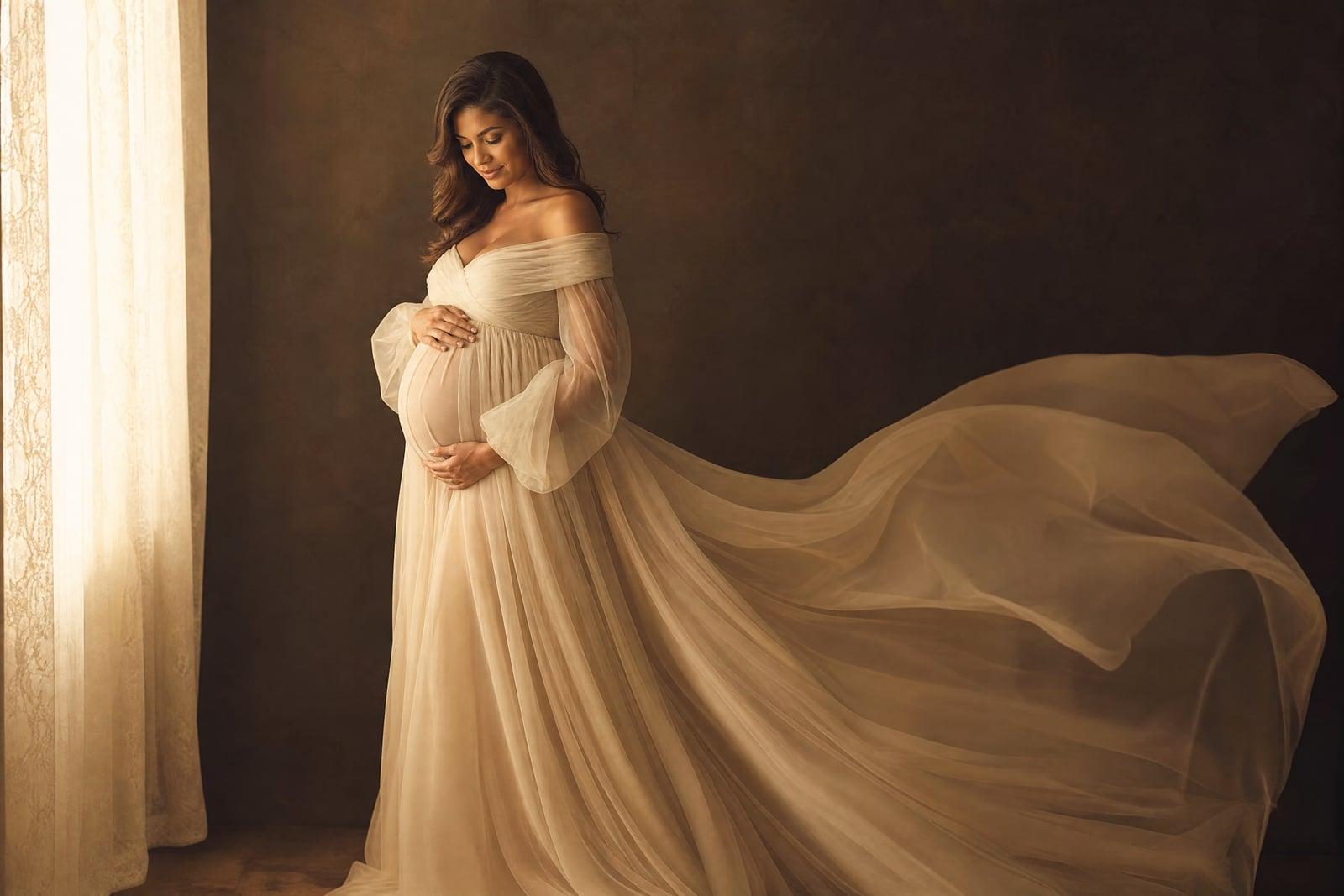
Maternity Photoshoot creates elegant pregnancy portraits from one ordinary photo of you. Upload a clear picture that shows your bump, a mirror photo in leggings is genuinely fine, then choose a style: flowing gown in a studio, golden-hour field, soft window light at home. The tool generates polished maternity portraits with graceful styling and lighting while keeping your face and bump true to the photo. Results save to your library.
What is the Maternity Photoshoot?
You upload one photo from your pregnancy and pick the portrait style you wish you had booked. The tool restyles the scene around you: the gown, the light, the backdrop, the pose refinement, while your face and the shape of your bump stay faithful to the source. Generate several styles across an evening on the sofa, which is roughly the opposite of a two-hour studio session in week 34.
Maternity photography is its own specialty for a reason. The classic look depends on precise soft lighting that flatters a changing body, gowns most people do not own, and posing that reads serene rather than stiff. Booking all that means scheduling a session for a narrow window when the bump is full but standing for two hours is still bearable. The tool removes the window problem entirely: any week, any photo, any energy level.
Maternity Photoshoot features
Your bump, honestly kept
The portrait preserves your face and the real shape and stage of your pregnancy from the photo. The styling changes around you; the person and the moment do not.
Gowns and styling included
Flowing chiffon, fitted knit, casual shirt-and-jeans warmth: the wardrobe is generated, so the dress you could never justify buying for one shoot costs nothing to wear.
Signature maternity light
Soft directional window light, backlit silhouettes, warm golden-hour glow. The lighting styles that define professional maternity work are all available from the same source photo.
Shoot from the sofa
No standing for hours, no studio travel at eight months, no rescheduling around how you feel. Generate when you have energy and stop when you do not.
How to use the Maternity Photoshoot
- 1
Upload a bump photo
Choose a clear photo where your bump's shape is visible, fitted clothing helps. Natural light near a window makes the best source material.
- 2
Choose your style
Pick the portrait direction: studio gown, outdoor field at dusk, intimate at-home window light. Silhouette styles are worth trying too.
- 3
Generate
The tool builds the finished portrait with styling, gown, and lighting around your actual face and bump. First results arrive quickly.
- 4
Save your favorites
Download the keepers and rerun other styles from the same photo. Many parents build a small series across styles for the album or announcement.
Maternity Photoshoot details
| Best for | Expecting parents who want the portraits without the session. |
|---|---|
| Category | Portraits & people |
| Powered by | Nano Banana 2 (Google) |
| Credits per image | 40 credits at 1K |
| Photos you upload | Your photo |
| Aspect ratios | 3:4, 1:1 |
| Adjustable options | Style |
| Included in plans | Premium, Pro |
What people make with the Maternity Photoshoot
Pregnancy announcements
Generate an elegant portrait weeks before you would ever book a shoot, and pair it with your announcement. The soft studio look reads instantly as maternity to everyone who sees it.
Documenting each trimester
One photo a month becomes a styled portrait a month, in a consistent look a real photographer could never affordably repeat. The series makes a moving keepsake page in the baby book.
When the shoot fell through
Bed rest, a photographer cancellation, or a birth that arrived early can erase the planned session. Rebuild the portraits you missed from photos you already took during pregnancy.
Gifts between partners
A partner can quietly turn a favorite bump photo into a framed portrait as a due-date gift. It takes one borrowed photo and lands harder than flowers.
Maternity Photoshoot FAQ
What photo do I need for the Maternity Photoshoot?
One clear photo where your bump is visible, ideally in fitted clothing and decent light. A mirror selfie works, and so does a photo someone took of you on a walk. The tool handles the gown, lighting, and backdrop; your photo only needs to supply you.
Will it change how pregnant I look?
No. The tool keeps your bump's actual size and stage from the source photo, along with your face and general build. It restyles the clothing, light, and scene rather than the pregnancy. If a result exaggerates anything, regenerate; faithful is the default.
Can I do this after the baby is born?
Yes, as long as you have photos from pregnancy. Parents who never got around to a shoot often generate their maternity portraits months later from camera-roll photos. The source photo determines the stage shown, so pick one from the week you want to remember.
Can my partner or older kids be in the portraits?
This tool styles portraits from a single photo, so it shines on solo maternity frames. For portraits with a partner or children, generate your maternity portrait here and use the couple or family portrait tools for group frames from separate photos.
Are my photos kept private?
Yes. Uploads are used only to generate your images and live in your private library, which only you can access. You can delete both the source photos and the generated portraits at any time. Nothing is shared or published unless you share it.
Related tools
Pricing
Choose the perfect plan to unlock more creativity with premium AI-powered image generation.
Standard
Perfect for creators and content makers
- 1,500 Credits per month
- High-quality AI image generation
- Text-to-image & image-to-image
- Premium templates library
- Priority support
Premium
For professionals and power creators
- 4,000 Credits per month
- Ultra high-quality generations
- Advanced AI models & styles
- Priority processing & support
- Commercial usage rights
Pro
Most advanced models for premium visuals
- 10,000 Credits per month
- All models incl. Nano Banana PRO
- All resolutions (1K, 2K & 4K)
- Premium-quality generation & smart edits
- Priority processing & support
Need more credits?
All plans include the option to purchase additional credit packs when you need extra generating power. Scale your creativity without limits.
Payments are securely processed by Stripe, our merchant of record. Subscriptions renew automatically at the listed price until you cancel; cancel anytime in your account settings. By continuing you agree to our Terms, Privacy Policy and Refund & Cancellation Policy. Need help? Contact support@nanobananai.ai.