Fun & creative
Christmas Photo Maker for card-ready holiday portraits
Cozy, card-ready holiday portraits from whatever photo you already have.
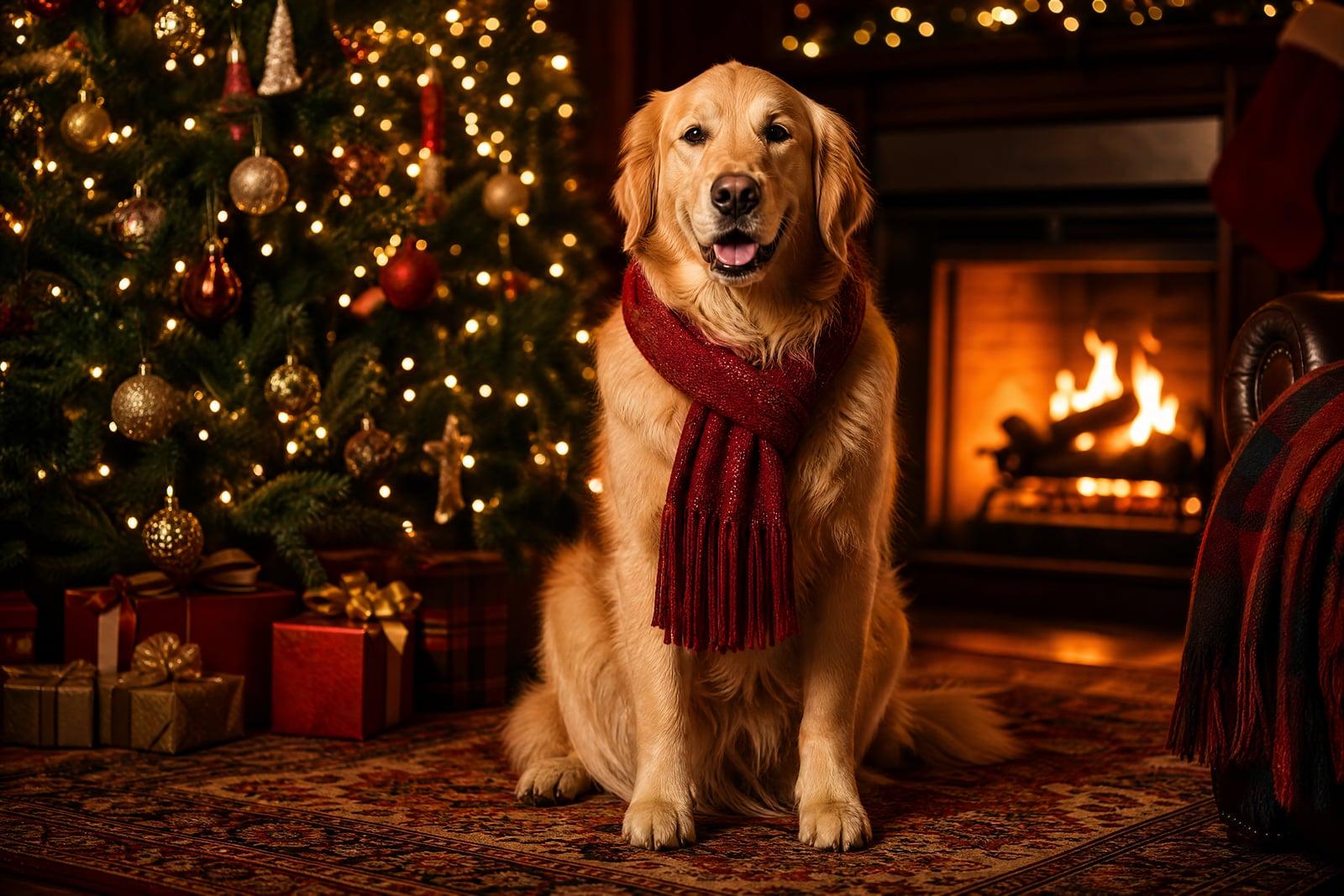
The Christmas Photo Maker turns an everyday photo into a cozy holiday portrait. Upload a picture of yourself, your kids, or the dog, and generate a scene with fireside light, a decorated tree, tasteful snow, or a card-ready backdrop. It solves the annual problem of needing a nice Christmas photo in a year when nobody organized a photoshoot. Results are ready for cards and the family group chat.
What is the Christmas Photo Maker?
The Christmas Photo Maker is a photo transformation tool for holiday portraits. You upload one photo, choose a scene style (warm living room, snowy doorstep, festive studio), and generate. The tool rebuilds the setting, lighting, and wardrobe accents around your subject while keeping the person or pet clearly themselves. What comes back looks like you actually staged a December photoshoot.
Real holiday photos are a logistics problem. Coordinating outfits, finding a decorated location, and catching kids mid-smile in golden lamplight usually fails on at least one front. The tool takes whatever photo you already have, a decent summer selfie included, and supplies the tree, the sweaters, and the warm light. The hard part of card season becomes choosing which version to print.
Christmas Photo Maker features
Card-ready scenes
Fireside living rooms, snowy porches, and festive studio backdrops are composed with the warm light and framing that greeting cards call for. Download the result and send it straight to your usual card printer.
Everyone stays themselves
Your kid's grin and the dog's crooked ear survive the transformation. The scenery, wardrobe accents, and lighting change dramatically, but the faces on the card are unmistakably your family.
Works with old photos
The photo does not need to be recent or seasonal. A beach vacation shot from July converts to a snowy portrait just fine, which rescues families who never got around to a winter session.
Pets welcome
Dogs and cats convert as happily as people. A portrait of the family retriever in front of the tree makes a card on its own, or a gift for the relative who loves that dog most.
How to use the Christmas Photo Maker
- 1
Upload your photo
Pick a clear shot where faces are visible and well lit. It does not need to be wintery; the tool supplies the season.
- 2
Choose a holiday scene
Cozy fireside, snowy outdoors, or a clean festive studio look. Fireside suits families and pets; the studio style fits formal cards and grandparent gifts.
- 3
Generate
The scene, lighting, and festive details render around your subject in moments. Check the faces first, then the details, and regenerate if the tree upstaged the toddler.
- 4
Download and print
Save your favorites and order prints or cards from any service you like. Generate a few variations so the card, the frame, and grandma each get their own version.
Christmas Photo Maker details
| Best for | Families who need a Christmas card photo without a photoshoot |
|---|---|
| Category | Fun & creative |
| Powered by | Nano Banana (Google) |
| Credits per image | 20 credits at 1K |
| Photos you upload | Your photo |
| Aspect ratios | 1:1, 3:4, 4:3 |
| Adjustable options | Holiday scene |
| Included in plans | Standard, Premium, Pro |
What people make with the Christmas Photo Maker
Christmas cards
The classic use. One decent photo of the family becomes a card-ready portrait without coordinating twelve schedules for a photoshoot in November. Late starters can produce a card the same evening it occurred to them.
Grandparent gifts
A framed holiday portrait of the grandkids is a reliably safe gift. Generate a warm fireside version from an ordinary school-year photo, print it at a large size, and wrap it before December sneaks past.
Holiday profile pictures
December avatars are a soft tradition at offices and in group chats. A tasteful festive portrait works for the whole month, and it beats wearing a paper crown at the work party.
Pet holiday portraits
Cats will not wear the reindeer antlers in real life. Generate the antlers instead. Pet accounts and family chats both get their December content without a wrestling match at home.
Christmas Photo Maker FAQ
What photo works best in the Christmas Photo Maker?
Any clear photo where faces are sharp and reasonably lit. Season does not matter; a July barbecue photo converts to a snowy scene without issue. Solo portraits and small groups give the most reliable faces, so run larger groups a couple of times and pick the best.
Will everyone still look like themselves on the card?
Yes, keeping people recognizable is the point. Features, expressions, and the pet's markings carry through while the setting and lighting change. If one face drifts in a group shot, regenerate; each run is quick and every version stays in your library.
Can I print these as real Christmas cards?
Yes. Download the image and upload it to any card printing service, or print at home. The scenes are composed with card layouts in mind, with warm light and breathing room around the subjects for whatever greeting you add later.
Does it work with photos of pets?
Very well. Dogs, cats, rabbits, and other pets keep their markings and expressions through the transformation. Antlers, scarves, and tree backdrops get added without the real-world struggle, and the resulting card tends to outperform the human version in the family chat.
Is my family photo kept private?
Uploads are used only to generate your holiday portraits and are stored in your private library. Nothing is published by the tool. You choose what gets printed or posted, and you can delete uploads and results at any time.
Related tools
Pricing
Choose the perfect plan to unlock more creativity with premium AI-powered image generation.
Standard
Perfect for creators and content makers
- 1,500 Credits per month
- High-quality AI image generation
- Text-to-image & image-to-image
- Premium templates library
- Priority support
Premium
For professionals and power creators
- 4,000 Credits per month
- Ultra high-quality generations
- Advanced AI models & styles
- Priority processing & support
- Commercial usage rights
Pro
Most advanced models for premium visuals
- 10,000 Credits per month
- All models incl. Nano Banana PRO
- All resolutions (1K, 2K & 4K)
- Premium-quality generation & smart edits
- Priority processing & support
Need more credits?
All plans include the option to purchase additional credit packs when you need extra generating power. Scale your creativity without limits.
Payments are securely processed by Stripe, our merchant of record. Subscriptions renew automatically at the listed price until you cancel; cancel anytime in your account settings. By continuing you agree to our Terms, Privacy Policy and Refund & Cancellation Policy. Need help? Contact support@nanobananai.ai.