Fun & creative
Halloween Filter: become a vampire, zombie, witch, or ghost
One selfie in, a vampire, zombie, witch, or ghost portrait out.
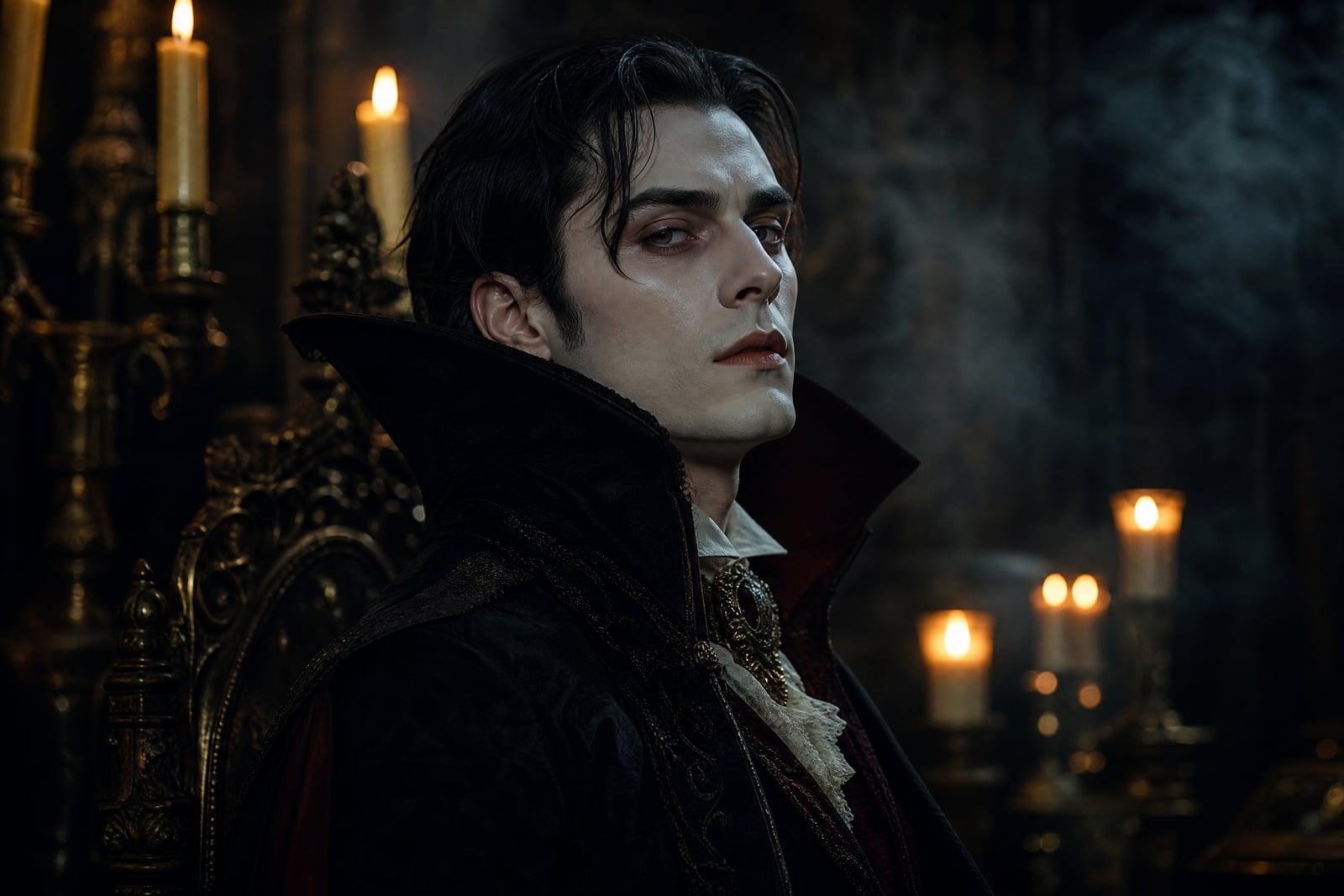
The Halloween Filter turns a photo of you into a vampire, zombie, witch, or ghost. Upload one selfie, pick your monster, and generate a portrait with full costume, makeup, and moody lighting while your face stays recognizable underneath. It solves the October profile picture without buying fangs or sitting through an hour of face paint. Variations are quick, so you can try every creature before choosing.
What is the Halloween Filter?
The Halloween Filter is a photo transformation tool. You upload a selfie, choose a Halloween character, and the tool rebuilds the whole image around you: pale vampire skin and a high collar, zombie decay, a witch's hat and candlelit shadows, or a translucent ghostly glow. The output is a finished portrait rather than a cheap sticker overlay slapped onto your photo.
Costume-grade results normally require an actual costume, makeup, and lighting. Face paint takes an hour and photographs poorly under a kitchen bulb. The tool handles the parts that are hard to fake: skin texture that reads as undead rather than gray, lighting that matches the horror mood, and a background that belongs in the scene. Your bathroom mirror selfie comes back looking like a film still.
Halloween Filter features
Four classic monsters
Vampire, zombie, witch, and ghost each get their own treatment: fang-and-collar elegance, full undead decay, candlelit sorcery, or a pale translucent glow. Run all four off the same selfie and pick your favorite haunting.
You, still recognizable
Friends should be able to tell it is you under the vampire pallor. The tool keeps your bone structure, eyes, and expression while layering the monster makeup and costume on top.
Scene and lighting included
The transformation covers the whole frame. Graveyard fog rolls behind the zombie, candlelight flickers for the witch, and cold moonlight suits the ghost. The result is a complete portrait with a setting that matches.
Quick regenerations
Not scary enough? Too scary for grandma? Generate again and the look shifts while you stay you. Trying all four monsters takes a couple of minutes and one single upload.
How to use the Halloween Filter
- 1
Upload a selfie
A front-facing photo with your face clearly lit works best. Hats and sunglasses get in the way of the transformation, so take them off first.
- 2
Choose your monster
Vampire for elegance, zombie for gore, witch for atmosphere, ghost for eerie subtlety. For a couples post, run each person's photo separately and pair the results.
- 3
Generate
The full portrait renders in moments: costume, makeup, lighting, and background all at once. Check that the face still reads as you, then try another creature.
- 4
Download and post
Save your favorite and set it as your October profile picture, or print it for party decorations. Regenerate until the spooky-to-recognizable balance feels right.
Halloween Filter details
| Best for | Anyone who wants a monster portrait without the face paint |
|---|---|
| Category | Fun & creative |
| Powered by | Nano Banana (Google) |
| Credits per image | 20 credits at 1K |
| Photos you upload | Your photo |
| Aspect ratios | 1:1, 3:4 |
| Adjustable options | Transformation |
| Included in plans | Standard, Premium, Pro |
What people make with the Halloween Filter
October profile pictures
The seasonal avatar change is a small tradition on every social platform. A proper vampire portrait of yourself lands better than the same pumpkin emoji everyone else added to their display name.
Party invitations
Hosting a Halloween party? Put your own zombified portrait on the invitation and the group chat announcement. It sets the tone better than stock clip art, and guests immediately understand that costumes are mandatory.
Family spooky season
Run everyone in the family through a different monster and line the results up as decorations or a group post. Grandparents as elegant vampires is reliably the crowd favorite every single year.
Costume test drives
Torn between witch and vampire for the real costume this year? Generate both versions of yourself first. Seeing the finished look on your own face makes the decision, and the makeup shopping list, easier.
Halloween Filter FAQ
How does the Halloween Filter keep my face recognizable?
The tool preserves your underlying features, bone structure, eyes, and expression, while adding the costume, skin effects, and lighting on top. Friends can tell it is you as a vampire rather than a random vampire. Heavy transformations like zombie decay hide more, so regenerate if too much of you disappears.
Which monsters can I become?
Vampire, zombie, witch, and ghost are the core looks, each with matching makeup, wardrobe, and scenery. You can run the same selfie through all of them, compare the results in your library, and keep whichever ones earn a place on your profile.
What photo should I upload?
A clear, front-facing selfie with even lighting and no sunglasses. Shoulders-up framing gives the tool room to add the costume. Group photos are unreliable here; generate each person separately for the best result on every face.
Can I use the images on social media?
Yes. Images you generate are yours to use however you like, including commercially. Profile pictures, posts, story stickers, party invites, and printed decorations are all fair game. The fun of a good vampire portrait is mostly in the comment section anyway.
Is my selfie kept private?
Your selfie is used only to generate your Halloween portraits, and everything is stored in your private library until you delete it. Nothing is posted or shared by the tool itself; what goes public is entirely up to you.
Related tools
Pricing
Choose the perfect plan to unlock more creativity with premium AI-powered image generation.
Standard
Perfect for creators and content makers
- 1,500 Credits per month
- High-quality AI image generation
- Text-to-image & image-to-image
- Premium templates library
- Priority support
Premium
For professionals and power creators
- 4,000 Credits per month
- Ultra high-quality generations
- Advanced AI models & styles
- Priority processing & support
- Commercial usage rights
Pro
Most advanced models for premium visuals
- 10,000 Credits per month
- All models incl. Nano Banana PRO
- All resolutions (1K, 2K & 4K)
- Premium-quality generation & smart edits
- Priority processing & support
Need more credits?
All plans include the option to purchase additional credit packs when you need extra generating power. Scale your creativity without limits.
Payments are securely processed by Stripe, our merchant of record. Subscriptions renew automatically at the listed price until you cancel; cancel anytime in your account settings. By continuing you agree to our Terms, Privacy Policy and Refund & Cancellation Policy. Need help? Contact support@nanobananai.ai.