Style transforms
Miniature World Effect: shrink your photo into a tiny diorama
Applies tilt-shift blur and toy color so real scenes look like handcrafted models.
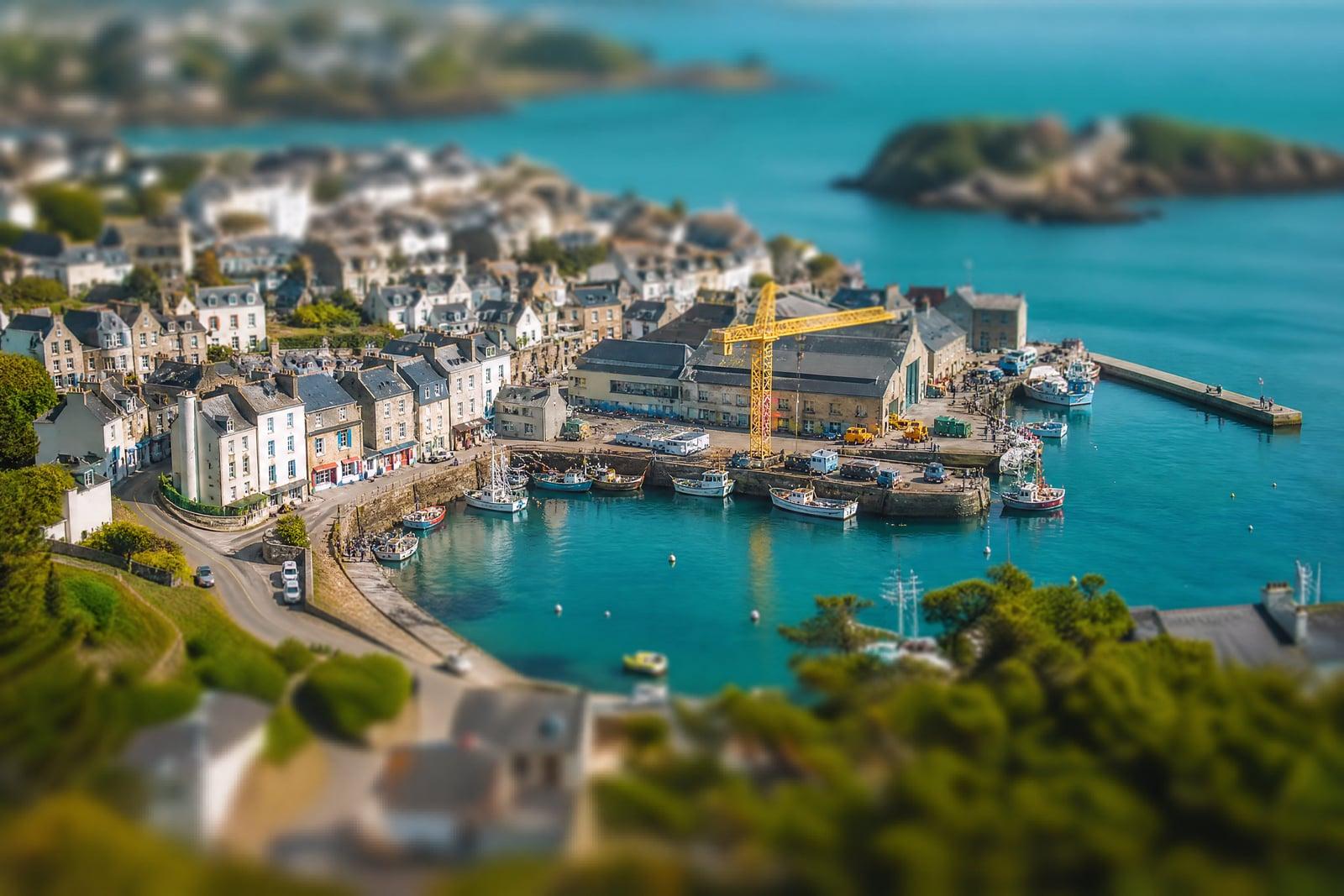
Miniature World Effect makes your photo look like a tiny handcrafted model, the classic tilt-shift illusion where a real city block reads as a train-set diorama. Upload one photo, ideally taken from above, and generate. The tool applies the focus falloff and candy-bright grading that trick the eye into seeing miniatures, then drops the result in your library.
What is the Miniature World Effect?
Miniature World Effect is a photo restyler on Nano Banana AI that recreates tilt-shift miniature photography. You upload a photo, preferably a scene shot from a high vantage point, a street from a balcony, a harbor from a hill, and generate. The tool narrows the plane of focus to a thin band, blurs everything above and below it, and boosts color saturation so the scene reads as a toy model.
The illusion works because of how eyes judge scale. Real miniatures photographed up close have razor-thin focus and punchy plastic color, so when a full-size scene shows those cues, the brain shrinks it. Faking that convincingly means placing the focus band where a model camera would put it and grading colors toward paint and plastic without wrecking skin tones. The tool handles both, and picks the band around your scene's natural subject.
Miniature World Effect features
Convincing focus falloff
The blur gradient mimics a macro lens photographing a scale model, with a sharp band around your subject and creamy falloff above and below it. That gradient is the entire illusion, and it has to be right.
Toy-box color grading
Saturation and contrast shift toward painted-model tones, so cars look die-cast and rooftops look like kit pieces. The grade stops short of cartoon territory, which keeps the scene believable as a physical model.
Smart subject band
The sharp zone lands on the natural focal point of your scene, the intersection, the boat, the crowd, rather than an arbitrary stripe through the middle of the frame where nothing is happening.
Great for travel archives
Old vacation photos taken from towers, balconies, and scenic viewpoints are ideal input. That decade-old rooftop shot of Lisbon you almost deleted becomes a shelf-worthy diorama print with one pass.
How to use the Miniature World Effect
- 1
Choose a high-angle photo
Shots looking down from a tower, hill, bridge, or window sell the illusion best. Street level photos rarely miniaturize convincingly.
- 2
Generate the miniature
The tool applies the tilt-shift blur and toy-color grade. Check where the sharp band landed; it should hug the most interesting part of the scene.
- 3
Rerun to move the focus
Regenerate to shift the sharp zone or push the colors more toy-like. Quick variations let you compare subtle against full candy-box grading.
- 4
Download and print
Save your favorite version from the library. Miniature scenes make playful prints, desktop wallpapers, and surprisingly strong travel-blog headers, since readers stop to work out why the city looks tiny.
Miniature World Effect details
| Best for | Travelers who want their city photos turned into toy worlds. |
|---|---|
| Category | Style transforms |
| Powered by | Nano Banana (Google) |
| Credits per image | 20 credits at 1K |
| Photos you upload | Your photo |
| Aspect ratios | Follows the input image |
| Adjustable options | None, one-click result |
| Included in plans | Standard, Premium, Pro |
What people make with the Miniature World Effect
Travel photo revivals
That rooftop shot of a market square you took years ago becomes a toy-town print. One effect turns a forgettable wide shot into the best frame of the whole trip album.
City content creators
Urbanist and travel channels miniaturize drone-style cityscapes for thumbnails and openers. Tiny-world frames stop the scroll because the eye cannot immediately explain what it is looking at, and curiosity does the rest.
Real estate flyovers
A miniaturized aerial of a neighborhood gives listing materials and area guides a charming map-like quality that plain aerial photos lack. Buyers linger on it, which is the whole point of a flyer.
Model railway lovers
Rail fans convert real stations and yards into diorama-style images. It is a preview of the layout they wish they had the basement to build, and some print them as reference art above the workbench.
Miniature World Effect FAQ
How does the Miniature World Effect make things look tiny?
It copies the optical signature of photographing a real model up close: a very thin band of sharp focus, heavy blur above and below it, and saturated toy-like colors. Your brain associates those cues with miniatures, so a full-size scene processed this way reads as a tiny diorama.
Why do my photos need to be taken from above?
Because that is how people photograph actual miniatures, looking down at the model table. A high vantage point matches that geometry, so the illusion locks in. Eye-level photos put the horizon in frame, which breaks the model-table impression no matter how the blur is placed.
What scenes miniaturize best?
Busy scenes with small repeated elements: traffic, harbors, markets, train yards, stadium crowds. Cars and people become convincing figurines once the blur and grading land. Empty landscapes miniaturize least well, since there is nothing human-scaled in frame for the eye to shrink.
Can I control where the sharp focus band sits?
Regenerating shifts the placement, and the tool aims the band at the scene's natural subject each time. Run a few variations and pick the one where the sharp zone hugs the action you care about. Passes are fast enough that this takes a minute.
Can I use miniature-effect images on my blog or channel?
Yes, generated images are yours to use, including commercially in thumbnails, headers, and printed work. Travel bloggers in particular lean on the effect for hero images, since it makes even familiar destinations look freshly strange and worth a second look.
Related tools
Pricing
Choose the perfect plan to unlock more creativity with premium AI-powered image generation.
Standard
Perfect for creators and content makers
- 1,500 Credits per month
- High-quality AI image generation
- Text-to-image & image-to-image
- Premium templates library
- Priority support
Premium
For professionals and power creators
- 4,000 Credits per month
- Ultra high-quality generations
- Advanced AI models & styles
- Priority processing & support
- Commercial usage rights
Pro
Most advanced models for premium visuals
- 10,000 Credits per month
- All models incl. Nano Banana PRO
- All resolutions (1K, 2K & 4K)
- Premium-quality generation & smart edits
- Priority processing & support
Need more credits?
All plans include the option to purchase additional credit packs when you need extra generating power. Scale your creativity without limits.
Payments are securely processed by Stripe, our merchant of record. Subscriptions renew automatically at the listed price until you cancel; cancel anytime in your account settings. By continuing you agree to our Terms, Privacy Policy and Refund & Cancellation Policy. Need help? Contact support@nanobananai.ai.