Fun & creative
Fantasy Creature Maker: original dragons, spirits, and beasts
Type a description of an impossible animal and get finished creature art for your game, story, or wall.
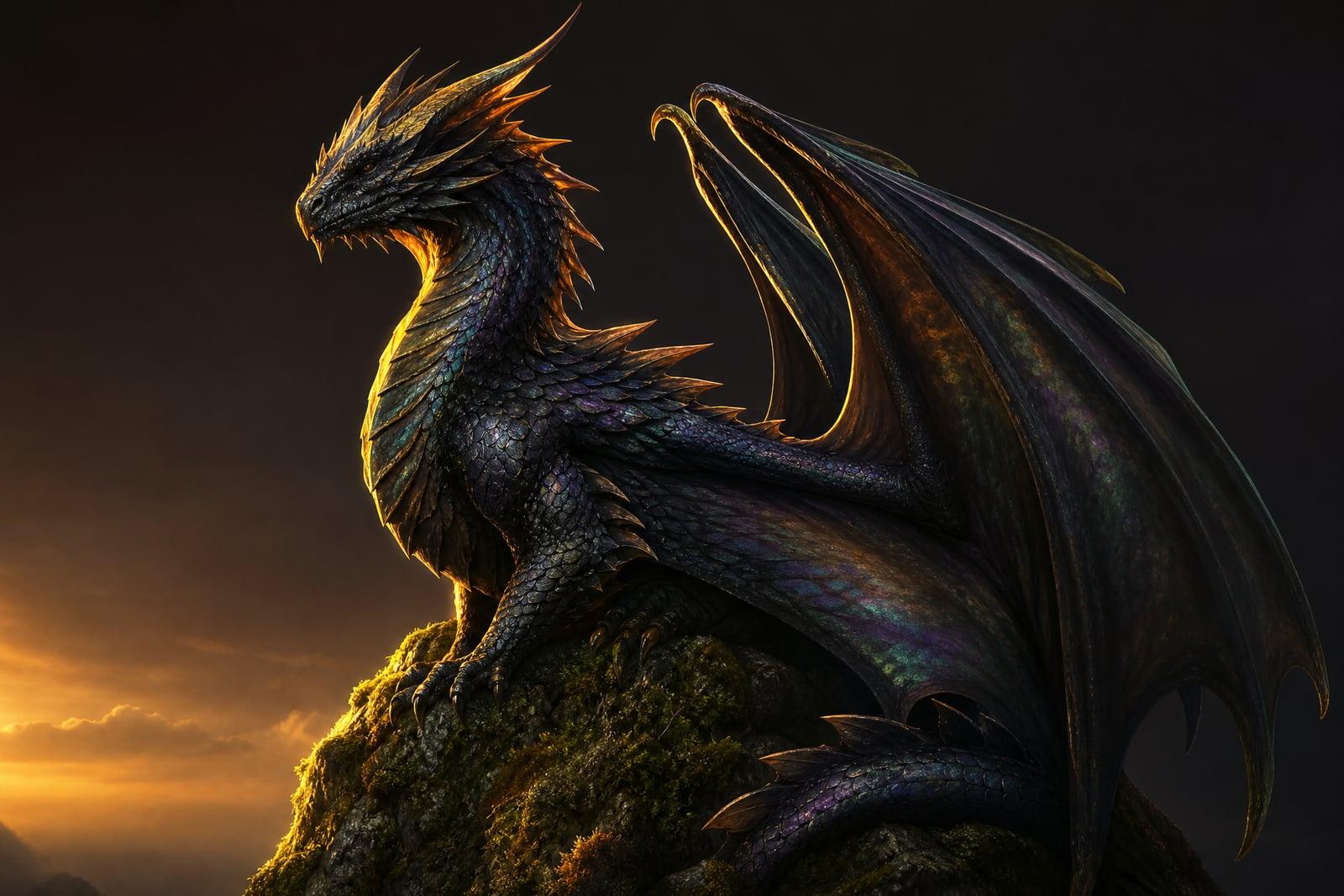
The Fantasy Creature Maker generates original creature art from a written description. Type what you imagine, a storm dragon with cracked obsidian scales or a forest spirit grown from moss and antlers, and the tool renders it as a finished illustration. No photo upload is needed, just the idea. Results land in your library right away, and you can rerun the prompt until the beast looks the way it did in your head.
What is the Fantasy Creature Maker?
The Fantasy Creature Maker is a text-to-image tool for inventing beasts that do not exist yet. You open the tool, write a description of the creature, its body plan, its element, its temperament, then choose an art direction and generate. There is no upload step because there is no source photo. The whole design comes out of your words, and each finished image saves to your private library automatically.
Drawing an original creature by hand is genuinely hard. Anatomy has to feel plausible even when the animal is impossible, wings need believable joints, and scale, fur, and membrane all catch light differently. The tool handles that mechanical layer for you. Limbs attach where limbs should attach and textures stay consistent across the body, so your attention goes to the design idea instead of the draftsmanship.
Fantasy Creature Maker features
Built from plain words
You do not need prompt-engineering jargon. Write the creature the way you would describe it to a friend, a six-winged raven made of smoke, and the tool works out composition and lighting on its own.
Coherent anatomy
Hybrid beasts are where amateur art falls apart. The generator keeps joints, musculature, and proportions believable even when you fuse a serpent with a stag, so the result reads as a living animal.
Style range
The same griffin can come out as painterly book-cover art, dark cinematic concept work, or something soft enough for a picture book. State the mood in your description and the render follows it.
Cheap iteration
First dragons are rarely final dragons. Regenerating is fast, so you can adjust one detail at a time, longer horns, wetter scales, a different color of flame, until the creature is exactly yours.
How to use the Fantasy Creature Maker
- 1
Describe your creature
Write two or three sentences covering body, texture, and setting. Specific beats vague: "barnacle-crusted sea drake coiled around a lighthouse" gives the model far more to work with.
- 2
Pick a style
Choose the art direction that fits the destination. Painterly suits novels and campaign handouts, while a cleaner rendered look suits card games and character sheets.
- 3
Generate
Hit generate and wait a moment. The finished illustration appears in your library, and nothing you typed leaves your account.
- 4
Refine and download
If the silhouette is right but the details are off, tweak your description and rerun it. Variations cost little, so explore before you commit to a download.
Fantasy Creature Maker details
| Best for | Game masters and writers who need original beasts on demand. |
|---|---|
| Category | Fun & creative |
| Powered by | Nano Banana (Google) |
| Credits per image | 20 credits at 1K |
| Photos you upload | None, this tool works from your text idea |
| Aspect ratios | 1:1, 3:4, 4:3 |
| Adjustable options | Describe the creature, Art style |
| Included in plans | Standard, Premium, Pro |
What people make with the Fantasy Creature Maker
TTRPG monster art
Game masters can hand players a picture of the bog wyrm instead of describing it for five minutes. A custom illustration per boss encounter makes a homebrew campaign feel published.
Novel concept art
Fantasy authors use creature renders as reference while drafting, and as pitch material for cover designers. Seeing your shadow-hare on screen keeps its description consistent from chapter three all the way to the sequel.
Tattoo reference
A tattoo artist works better from an image than from "a phoenix but sadder". Generate the beast, iterate until the pose is right, and bring the print to your consultation.
Indie game pitches
Solo developers can fill a pitch deck or a devlog with bestiary art long before an artist joins the project. Consistent creature concepts make an early prototype look intentional rather than placeholder.
Fantasy Creature Maker FAQ
What can the Fantasy Creature Maker actually create?
Any invented animal you can describe: dragons, spirits, elementals, hybrids, and things without names yet. It handles classic fantasy species and stranger ideas equally well. The only real limit is that you have to put the concept into words, so creatures with a clear body plan and mood come out strongest.
Do I need to describe the creature in detail?
More detail helps but is not required. A single line like "ice wolf with antlers" produces something usable, and the tool fills gaps with sensible choices. If you care about a specific feature, glowing eyes, a broken tusk, name it explicitly, because unmentioned details are left to the model.
Can I use the creatures commercially?
Yes. Images you generate are yours to use, including in commercial projects like games, book covers, and merch. Many users generate creature art for products they sell. Just remember that if you describe a creature from an existing franchise, the resulting rights situation is on you, so invent your own.
Can I get the same creature in different poses?
You can rerun the same description with a new pose or scene added, and the results will be close cousins rather than identical twins. Keeping the description tight, same colors, same defining features, keeps the creature consistent enough for a bestiary page or a card set.
How long does a generation take?
A creature typically renders in well under a minute, and regenerating variations is quick. That speed matters more than it sounds, because good creature design is iterative. Most users run four or five versions, compare them side by side in the library, and keep the one with the best silhouette.
Related tools
Pricing
Choose the perfect plan to unlock more creativity with premium AI-powered image generation.
Standard
Perfect for creators and content makers
- 1,500 Credits per month
- High-quality AI image generation
- Text-to-image & image-to-image
- Premium templates library
- Priority support
Premium
For professionals and power creators
- 4,000 Credits per month
- Ultra high-quality generations
- Advanced AI models & styles
- Priority processing & support
- Commercial usage rights
Pro
Most advanced models for premium visuals
- 10,000 Credits per month
- All models incl. Nano Banana PRO
- All resolutions (1K, 2K & 4K)
- Premium-quality generation & smart edits
- Priority processing & support
Need more credits?
All plans include the option to purchase additional credit packs when you need extra generating power. Scale your creativity without limits.
Payments are securely processed by Stripe, our merchant of record. Subscriptions renew automatically at the listed price until you cancel; cancel anytime in your account settings. By continuing you agree to our Terms, Privacy Policy and Refund & Cancellation Policy. Need help? Contact support@nanobananai.ai.