Business & marketing
Product Mockup: see your design on real products
Upload a design or logo and preview it on shirts, mugs, totes, and phone cases as photos.
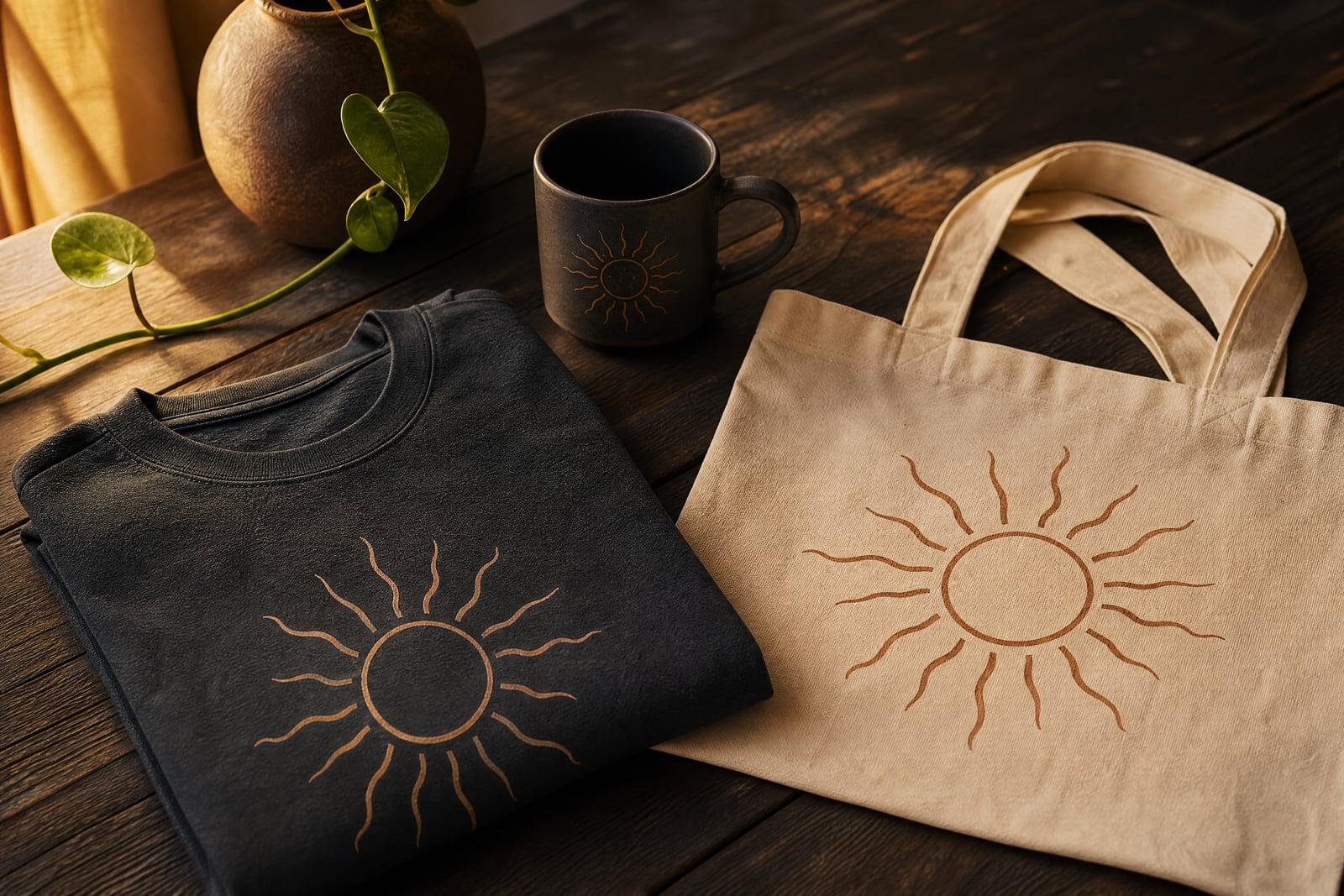
Product Mockup takes your uploaded design or logo and places it on physical products in realistic photos. Choose a t-shirt, mug, tote bag, or phone case, upload the artwork, and generate. The design wraps and drapes the way print actually behaves on fabric and ceramic, in a lit scene that looks like a store listing. You see the merch before a single unit gets printed, which is the whole point.
What is the Product Mockup?
Product Mockup is an upload-first staging tool. You provide the flat artwork, a logo, an illustration, a slogan graphic, and pick the product to preview it on. The generator renders the design onto the item with believable fabric folds, surface curvature, and lighting, then stages the product in a clean photographic scene you can use directly in a listing or a pitch deck.
Flat artwork lies to you. A design that looks balanced on a white canvas can sit too high on a shirt, vanish against the wrong garment color, or warp awkwardly around a mug handle. Traditional mockup templates help but always look like the same stock photos everyone uses. Generated mockups give you fresh scenes per product, so your shop pages do not share their bones with ten thousand other stores.
Product Mockup features
Realistic print behavior
Artwork follows fabric folds on shirts and totes and curves around mugs and cases, so the preview predicts how the physical print will read instead of floating like a sticker.
Multiple product types
Preview the same design across a t-shirt, a mug, a tote, and a phone case to decide which products deserve inventory. Weak pairings reveal themselves before you spend on samples.
Listing-ready scenes
Mockups come staged and lit like ecommerce photography, usable straight in a shop listing or a crowdfunding page while your first production run is still at the printer.
Design stays yours
Colors and shapes carry over from your upload faithfully. Zoom in to confirm very fine line work, since thin strokes can soften slightly in fabric renders, and regenerate if needed.
How to use the Product Mockup
- 1
Upload your design
Use a clean, high-contrast version of the artwork or logo, ideally on a plain background. Sharp source files produce the most faithful prints in the render.
- 2
Choose the product
Pick the item to preview: shirt, mug, tote, or case. Mention garment color preferences in your prompt if the design depends on a dark or light base.
- 3
Generate
Check placement, scale, and how the design sits on the material. If the print reads too large or too high, describe the adjustment and rerun.
- 4
Download or try another product
Download the mockup for your listing, then run the same design on the next product. Building a full merch preview set takes minutes, not a sample order.
Product Mockup details
| Best for | Print-on-demand sellers who want listings live before samples arrive. |
|---|---|
| Category | Business & marketing |
| Powered by | Nano Banana 2 (Google) |
| Credits per image | 40 credits at 1K |
| Photos you upload | Your design / logo |
| Aspect ratios | 1:1, 3:4 |
| Adjustable options | Mockup item |
| Included in plans | Premium, Pro |
What people make with the Product Mockup
Print-on-demand shops
An Etsy seller testing twenty designs cannot order twenty sample runs. Mockups let the catalog go live immediately, and sales data decides which designs earn real photography.
Brand merch pitches
A marketing manager proposing company merch can show leadership the logo on actual products rather than a flat slide, which is usually the difference between approved and postponed.
Crowdfunding rewards
A campaign offering backer tees and totes needs convincing reward images months before manufacturing. Realistic mockups sell the pledge tiers while the products are still drawings.
Client logo presentations
A freelance designer delivering a new logo can include it rendered on merchandise, turning a logo file handoff into a brand presentation clients remember and share.
Product Mockup FAQ
What file should I upload to Product Mockup?
A clear, sharp image of your design or logo, ideally on a plain or transparent background. High contrast source art transfers most faithfully. Blurry or low-resolution uploads are the main cause of muddy-looking prints.
Which products can I preview my design on?
T-shirts, mugs, tote bags, and phone cases are the core set. Describe the specific look you want, like a black shirt on a hanger or a mug on a cafe table, and the scene follows.
Will the mockup match what the printed product looks like?
It is a realistic preview of placement, scale, and how the design sits on the material, and it is close for those decisions. Exact print colors still depend on your printer and garment stock, so order one sample before a big run.
Can I use mockups in my store listings?
Yes. Generated mockups are yours to use commercially in shop listings, ads, and campaign pages. Many print-on-demand sellers list with mockups first and add customer photos later.
My design has thin lines. Will they survive?
Mostly, but very fine strokes can soften where fabric folds. Zoom into the render to check, and consider a bolder line weight for products, which is good print practice anyway.
Related tools
Pricing
Choose the perfect plan to unlock more creativity with premium AI-powered image generation.
Standard
Perfect for creators and content makers
- 1,500 Credits per month
- High-quality AI image generation
- Text-to-image & image-to-image
- Premium templates library
- Priority support
Premium
For professionals and power creators
- 4,000 Credits per month
- Ultra high-quality generations
- Advanced AI models & styles
- Priority processing & support
- Commercial usage rights
Pro
Most advanced models for premium visuals
- 10,000 Credits per month
- All models incl. Nano Banana PRO
- All resolutions (1K, 2K & 4K)
- Premium-quality generation & smart edits
- Priority processing & support
Need more credits?
All plans include the option to purchase additional credit packs when you need extra generating power. Scale your creativity without limits.
Payments are securely processed by Stripe, our merchant of record. Subscriptions renew automatically at the listed price until you cancel; cancel anytime in your account settings. By continuing you agree to our Terms, Privacy Policy and Refund & Cancellation Policy. Need help? Contact support@nanobananai.ai.