Photo fixes
Image Extender (Uncrop): grow your photo past its edges
Generates matching scenery beyond your photo's borders so it fits a wider or taller frame.
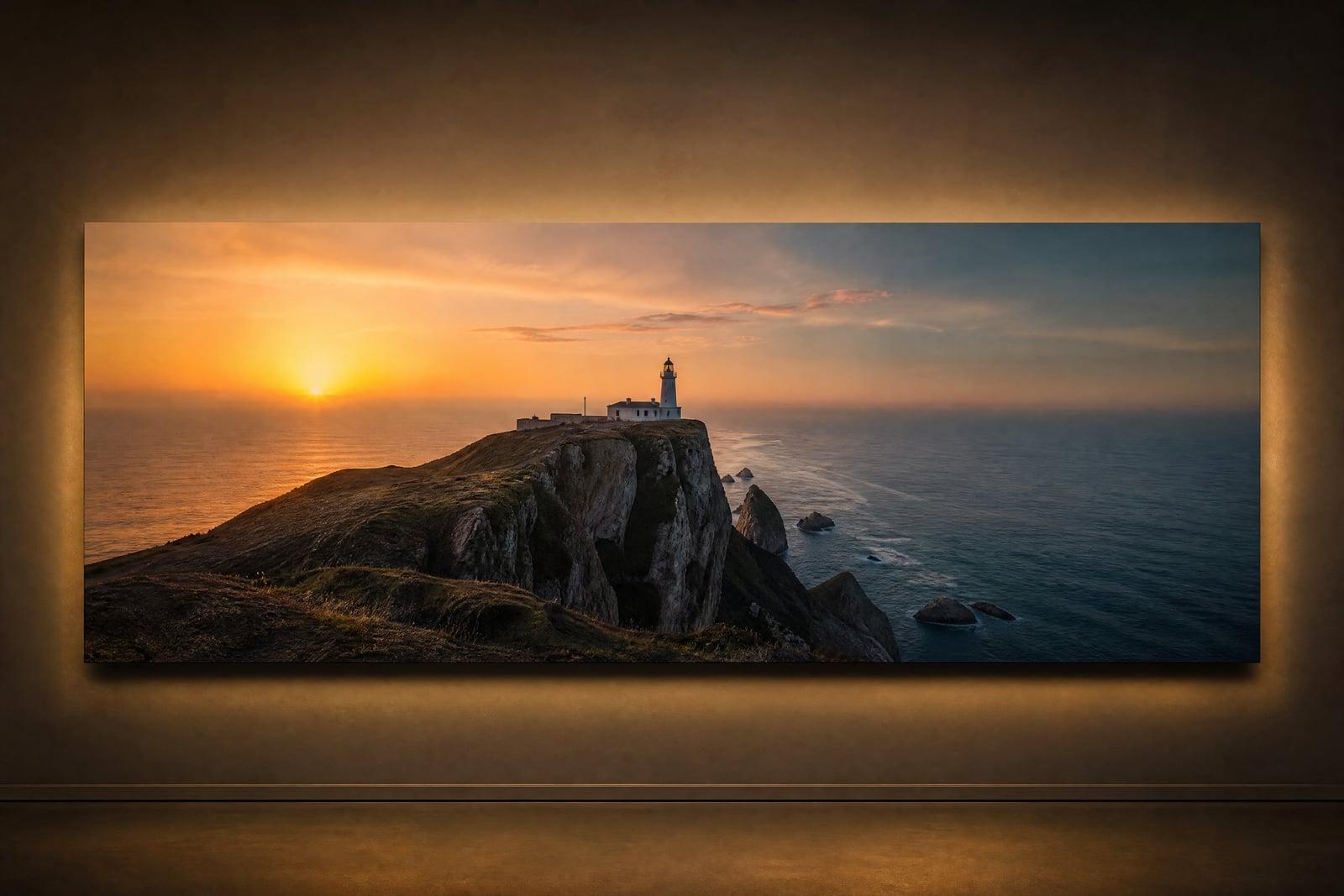
Image Extender (Uncrop) expands a photo beyond its original borders, generating new image that continues the scene. Upload a shot that is too tight or the wrong shape, choose the direction to grow, and generate. The sky keeps going, the floor continues, the wall pattern carries on, and the subject you shot stays exactly as it was, just with room to breathe.
What is the Image Extender (Uncrop)?
Image Extender is an outpainting tool: it paints outward from your photo's edges instead of inside them. You upload the image, pick the shape you need, wider for a banner, taller for a story post, and the tool generates the missing scenery on each side. Everything original is untouched. The new areas take their light, color, and texture from the existing frame.
Extending a photo by hand means inventing content that never existed, and doing it so the join is invisible. Skies need matching cloud structure, floors need perspective that recedes correctly, and a beach needs waves that continue mid-break. The tool solves the continuity problem in one pass, which is why an extended photo usually cannot be told from one composed that way in camera.
Image Extender (Uncrop) features
Invisible joins
New scenery inherits the grain, lighting, and perspective of the original frame, so the boundary between shot and generated is genuinely hard to find, even when you know where to look.
Any direction
Grow the frame left, right, up, down, or all around. A tight portrait becomes a wide cover image, or a horizontal landscape gains sky for a phone wallpaper.
Original pixels untouched
Your photo sits inside the result unchanged. The tool adds around it rather than regenerating it, so faces, products, and details keep their exact captured appearance.
Frame-filling freedom
Banners, headers, story formats, and print frames all demand shapes your camera did not shoot. Extending beats cropping when cropping would cut away the subject.
How to use the Image Extender (Uncrop)
- 1
Upload the photo
Any image works, but photos with continuable surroundings, sky, water, walls, grass, extend most convincingly. Very tight crops still work with a little more variation.
- 2
Pick the target shape
Decide where the image needs to grow: wider for banners and covers, taller for stories and posters, or outward on all sides.
- 3
Generate the extension
The tool paints the new regions to match your scene. Results land in your library in under a minute.
- 4
Inspect the seams
Zoom along the original borders and check patterns like tiles, horizons, and railings. If a join shows, regenerate for a fresh continuation.
Image Extender (Uncrop) details
| Best for | Creators fitting one photo into many frame shapes. |
|---|---|
| Category | Photo fixes |
| Powered by | Nano Banana (Google) |
| Credits per image | 20 credits at 1K |
| Photos you upload | Photo to extend |
| Aspect ratios | 16:9, 9:16, 1:1, 4:3, 3:4 |
| Adjustable options | None, one-click result |
| Included in plans | Standard, Premium, Pro |
What people make with the Image Extender (Uncrop)
Social format juggling
The same photo needs to be square for the feed, tall for the story, and wide for the header. Extending generates each shape from one original without amputating anyone's head.
Print and framing
A cherished photo is the wrong proportion for the frame you bought. Extending the scene to fit beats cropping into the subject or living with white borders.
Website heroes
Hero sections want very wide images, and almost no normal photo is that shape. Extending both sides of a strong shot produces the panoramic header the layout demands.
Fixing tight shots
The photographer stood too close and the composition feels cramped. Growing the frame restores breathing room around the subject and rebalances the shot after the fact.
Image Extender (Uncrop) FAQ
Does the Image Extender change the original part of my photo?
No. Your original pixels remain exactly as uploaded, and the tool generates only the new regions beyond the old borders. That is what distinguishes uncropping from regenerating a whole scene: the photo you took stays the photo you took.
How does it know what to paint in the new areas?
It reads the scene at each edge, lighting, textures, perspective, partial objects, and continues them outward plausibly. A cut-off sofa gains its other arm and a horizon extends at the correct height. It invents plausible continuation rather than recovering anything real, so generated areas are best kept to scenery.
Can I use Image Extender to turn a portrait photo into a widescreen banner?
Yes, that is one of the most common jobs. The tool generates matching scenery on both sides of the portrait until it fills the wide shape. Subjects near the frame edge give it less context, so centered subjects extend most cleanly.
What happens with people at the edges of the frame?
Partially cut-off people are the trickiest case, since the tool must invent the missing parts of a real person. Results vary, so when possible, extend in directions away from cropped people, or expect to regenerate a few times.
Is the extended image mine to use commercially?
Yes. Generated results are yours to use, including for client work, ads, and printed products. Uploads and outputs live in your private library, and deleting them is always up to you.
Related tools
Pricing
Choose the perfect plan to unlock more creativity with premium AI-powered image generation.
Standard
Perfect for creators and content makers
- 1,500 Credits per month
- High-quality AI image generation
- Text-to-image & image-to-image
- Premium templates library
- Priority support
Premium
For professionals and power creators
- 4,000 Credits per month
- Ultra high-quality generations
- Advanced AI models & styles
- Priority processing & support
- Commercial usage rights
Pro
Most advanced models for premium visuals
- 10,000 Credits per month
- All models incl. Nano Banana PRO
- All resolutions (1K, 2K & 4K)
- Premium-quality generation & smart edits
- Priority processing & support
Need more credits?
All plans include the option to purchase additional credit packs when you need extra generating power. Scale your creativity without limits.
Payments are securely processed by Stripe, our merchant of record. Subscriptions renew automatically at the listed price until you cancel; cancel anytime in your account settings. By continuing you agree to our Terms, Privacy Policy and Refund & Cancellation Policy. Need help? Contact support@nanobananai.ai.